
Events
LED screen rental: the brief to prepare for an event
Screen area describes only part of the need. Event rental requires a schedule, venue, content list and responsibilities. Here is how to avoid unclear areas in the enquiry.
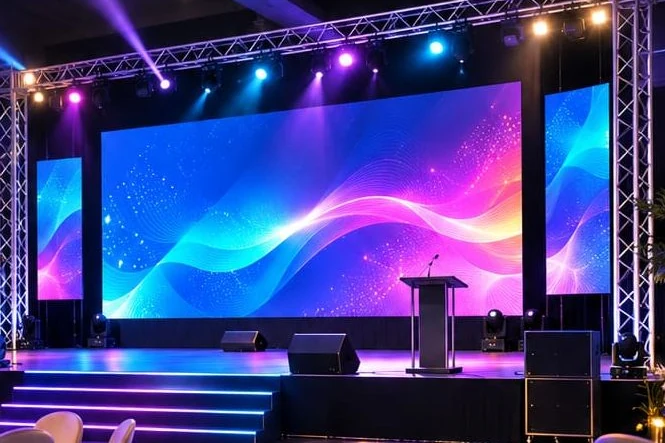
Describe the screen's role in the programme
Will the screen serve as a stage backdrop, presentation support or live-image display? Identify sequences and transitions. Recording equipment and sources to connect are not automatically included in display rental.
Prepare a simple running order with the people approving each sequence. You do not need all final media to enquire, but you need to know their nature. Text type and audience viewing distance will guide resolution and size questions.
Obtain venue information
Ask about delivery access, available hours and handling restrictions. State whether another event uses the room before yours and when it will be cleared. A display date alone does not describe preparation.
Locations, structure and power must be approved with technical managers. If the project is outdoors, the environment requires specific assessment. No display should be assumed suitable for another placement without confirmation from the relevant provider.
Distinguish setup, testing, playback and dismantling
These stages have different constraints and responsibilities. Setup needs access to the area and available teams. Tests need sources and representative content. Playback requires an approved running order. Dismantling must respect the venue's handback conditions.
The quote should reflect these stages and their hours. Rental duration alone does not show how long a technician will be present or what they will handle. Request a defined role rather than a simple mention in a package.
Prepare files for the right format
Confirm aspect ratio and usable resolution before finalising visuals. Media designed for another screen may need adaptation. Retain a source version and a playback-ready version with a clear filename.
Assign who delivers media and who approves it. Avoid changes scattered across several messaging channels without an owner. At rehearsal, use the actual presentation and correct sources, rather than only a demonstration video.
Write down the division between providers
Who supplies the computer, connections, video processing and content? Who communicates with the control team and presenter? Resolve these questions before the event. Clear service limits prevent reliance on equipment nobody has planned.
A technician's presence does not mean the entire event is their responsibility. Hours, tasks, coordination needs and additional interventions must be agreed. Transport and setup arrangements must be explicitly included or excluded.
A shared playback running order
A programme may include a welcome, a speech and a closing video. Specify the file, source and person giving the cue for each sequence. The aim is to make decisions clear to all parties, rather than invent a complex control-room setup.
If the programme changes, appoint one person to communicate the approved version. A last-minute change may affect media or coordination; review it with the team rather than adding it without confirmation. Also keep neutral holding content ready between sequences, according to the selected system's capabilities.
The end of the event is part of the service
Dismantling hours, venue handback conditions and exit access must be known before setup. Equipment does not disappear when the programme ends: removal requires people and a work area. Coordination with the site remains necessary.
Ask about end-of-service arrangements and who verifies handback. Any difficulty or scope change should be documented rather than relying on assumed verbal agreement. This framework lets you review the whole quote from delivery to team departure, instead of comparing display duration alone.
Check booking conditions
Requesting a quote does not reserve equipment. Availability, payment terms, deposit, cancellation and postponement require written confirmation. These items must be confirmed in the proposal and are not invented on this website.
Price on quotation. State the country, city, date and preferred time slots. Specify site constraints and access in the Moroccan city hosting your event. A warranty or lead time stated in another context should not automatically extend to your event.
Points to check
- Programme and screen use.
- Date, venue and access.
- Setup, testing and dismantling.
- Sources and media.
- Technician's role and service limits.
- Written booking conditions.
Frequently asked questions
Your questions, practical answers
When should media be delivered?
The delivery and approval schedule must be agreed with the technical team. Do not assume a late change can always be incorporated.
Does an online enquiry confirm availability?
No. It helps clarify your needs. Reservation and terms are confirmed separately.
Explore further
Compare uses and prepare your choice.
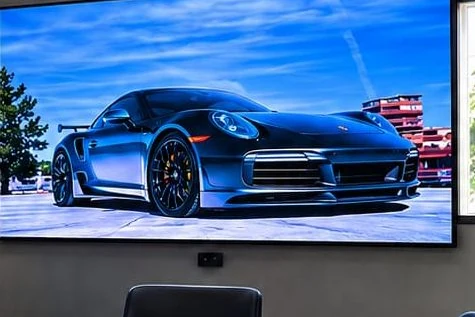 Promotional image
Indoor LED wall
In a lobby, room or presentation space, viewers may see the screen up close.
Explore the solution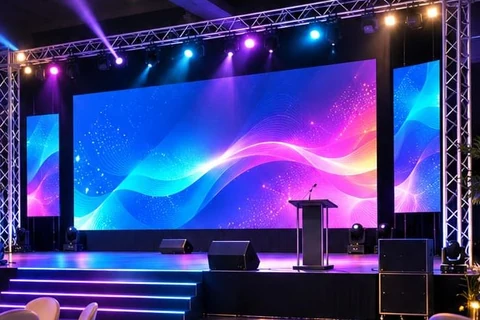 Promotional image
Event LED screen rental
Conference, reception, trade show or launch: the screen should support the event programme.
Explore the solutionFrom advice to a quote
Compare project cost items and describe your location before submitting your request.
View pricing and the buying guide →Let’s discuss your project
Make room
for your ideas.
Describe your location and intended use. LED DISPLAY helps you identify solutions suited to your project.
Dimensions, use, city: the right details for a practical discussion.
Understand how your data is used →