
Pharmacy
LED cross or crescent: plan your pharmacy signage
The sign helps people recognise the pharmacy before reading a message. Choosing a cross, crescent or combination requires considering the building, visibility and team workflows. Animation comes after this assessment.
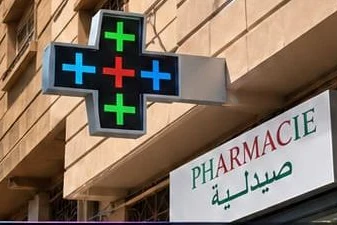
Define the sign's main function
Identifying the pharmacy, displaying practical information and presenting offers are different uses. Avoid asking one small display to fulfil every function. An identifiable sign can be complemented by shop-window signage when a message needs more space.
Decide what the audience should recognise immediately. This should guide the symbol, position and content hierarchy. Numerous effects do not replace readable information and may make the message less clear from certain viewpoints.
Examine every approach to the façade
A head-on view is insufficient to select a location. Approach the building along usual routes and observe angles and obstructions. A projecting mount may address one direction of travel while a flat-mounted display serves another; the solution must be assessed for the site.
Also show existing signs and equipment. The project should retain a coherent façade and allow future servicing. Any building constraints and applicable formalities should be flagged before final selection.
Compare dimensions and display quality
Overall dimensions indicate physical size rather than message detail. Resolution should suit the letters, opening hours and icons you want to display. Request a representative example and check comprehension from useful viewpoints.
Available sizes and pitches must come from the actual products proposed. Do not treat a range found on another website as guaranteed by the installer. The quote should identify the model, specifications and any programming limits.
Plan mounting and power supply
The support, power connection and access conditions shape installation. Specify what is visible and known, then leave technical checks to qualified professionals. A photograph aids initial analysis but does not approve the wall or structure.
Ask how control equipment and cables will be integrated. Maintenance access must remain possible after commissioning. Access equipment, cladding and any making-good work should not be omitted when comparing proposals.
Organise programming for the team
The person changing hours or messages should know routine operations. Request a demonstration of the selected system and available connection methods. Not every solution automatically offers app, cloud or mobile-network control.
Allocate access and retain source files. Training, licences and support should appear in the proposal. Patient data is unnecessary for this type of project and should not accompany a quote request.
Check one message before adding animations
Prepare very simple content and view it from pharmacy approaches. Does the symbol remain identifiable? Can opening hours be read without waiting through a long sequence? Is essential information recognisable when a passer-by starts watching halfway through the animation? These questions help assess the display for its purpose.
Effects and transitions come next. Ask how to return to restrained programming and check that displayed information is current. Staff should be able to distinguish a file problem, a scheduling error and a hardware fault before requesting service.
Create a handover file
At project completion, gather the model reference, useful installation documents, warranty terms and confirmed support contacts. Add software operating instructions and content source files. The file should remain accessible to the pharmacy, rather than only in a contractor's inbox.
Acceptance should also verify the scope actually delivered: symbol, support, connection, programming and training. Have any outstanding service recorded. This check creates no new commitment; it simply compares the result with the terms agreed in the quote.
Validate commercial terms alongside the visual design
The price should relate to a scope: equipment, mounting, installation, programming and commissioning. Taxes, travel and maintenance must be identified. Price on quotation; no unvalidated range is published here.
Confirm warranty, exclusions and how any malfunction will be handled. Installation and service response times cannot be inferred from advertising language. Present your project to LED DISPLAY and have applicable terms specified in writing.
Points to check
- Symbol and signage objective.
- Front and side views.
- Approximate dimensions and access.
- Content example.
- Written installation, warranty and maintenance terms.
Frequently asked questions
Your questions, practical answers
Can I choose from a catalogue photograph?
A catalogue can help express a style, but the support, approaches and model specifications must be assessed for your façade.
Do a cross and a shop-window screen duplicate each other?
They can serve different functions: identifying the pharmacy and presenting information. Define each display's role before combining them.
Explore further
Compare uses and prepare your choice.
 Promotional image
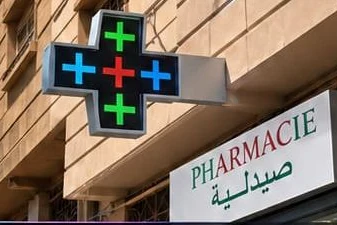
Pharmacy LED cross and crescent
A pharmacy sign should make the location easy to spot and the message effortless to read.
Explore this solution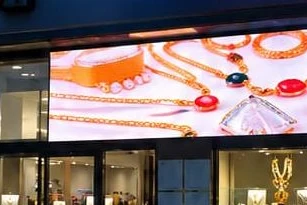 Promotional image
Shop-window LED screen
A shop window should showcase your business and give people a reason to stop.
Explore this solutionFrom advice to a quote
Compare project cost items and describe your location before submitting your request.
View pricing and the buying guide →Let’s discuss your project
Make room
for your ideas.
Describe your location and intended use. LED DISPLAY helps you identify solutions suited to your project.
Dimensions, use, city: the right details for a practical discussion.
Understand how your data is used →